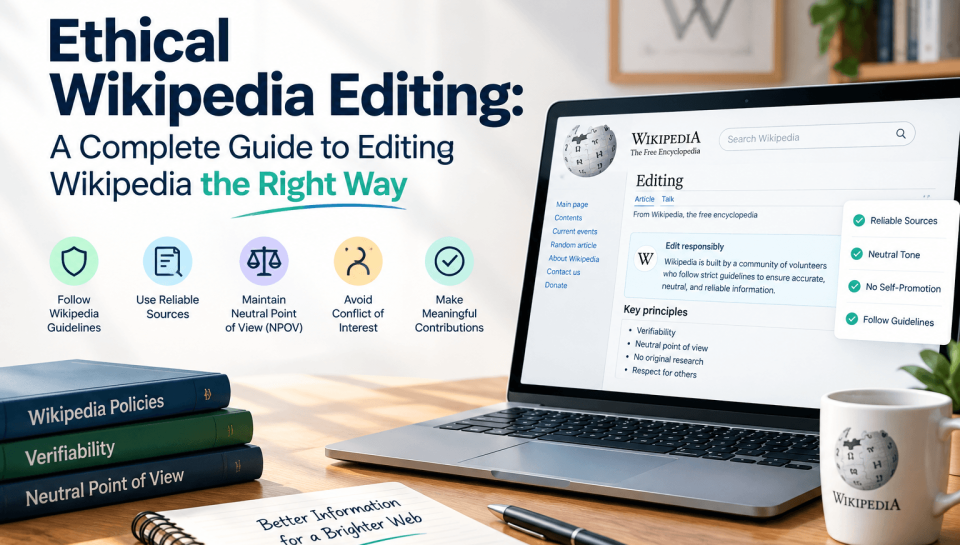
Ethical Wikipedia editing means writing from a neutral point of view, backing every claim with a reliable independent source, never inventing or synthesizing your own conclusions, and openly disclosing any personal, financial, or professional connection to the topic you’re editing. If you have a conflict of interest, propose changes on the article’s talk page instead of editing the article directly.
Wikipedia is edited by roughly 100,000 active volunteers a month, and it runs almost entirely on trust rather than gatekeeping. Anyone can open the edit window on almost any page. That openness is also why the community has built a dense set of policies to keep the encyclopedia reliable — and why so many good-faith edits get reverted by people who never explain why an edit crossed a line.
This guide walks through what “ethical” actually means on Wikipedia, whether you’re a first-time volunteer, a student citing sources for a class project, a nonprofit updating your own page, or a communications professional managing a client’s article.
What is Ethical Editing?
Wikipedia doesn’t have a single “ethics policy.” Instead, ethical behavior falls out of a handful of content and conduct policies working together. An edit is ethical when it is:
- Neutral — it doesn’t push a viewpoint, even one you believe is correct
- Verifiable — every factual claim traces back to a source a stranger could check
- Not original — it reports what sources say rather than your own analysis or synthesis
- Disclosed — if you have a personal or financial stake in the topic, you say so
- Collaborative — you’re willing to discuss, compromise, and accept consensus, not just win
Violating any one of these is usually what gets edits reverted or accounts blocked — not malice, but a missing disclosure or an unsourced claim that felt obviously true to the editor who added it.
A Step-by-Step Framework for Editing Ethically
- Read the article and its talk page first. Check whether your planned change has already been proposed, discussed, or rejected.
- Find your sources before you write anything. If you can’t find independent, reliable coverage of a claim, don’t add the claim — go find the source or leave it out.
- Write the sentence the way the source states it, not the way you’d phrase it to make the point land harder. If the source hedges (“some analysts believe”), your sentence should hedge too.
- Ask whether you have a conflict of interest — about yourself, your employer, a client, a family member, a cause you volunteer for, or even a competitor. If yes, go to the disclosure steps below instead of editing directly.
- Write a real edit summary. “Fixed typo” is fine for a typo. For anything substantive, explain what changed and why, and cite the policy if relevant (“Removed unsourced claim per WP:V”).
- Expect to be reverted sometimes, and don’t re-add the content immediately. Take it to the talk page instead. Repeatedly re-adding the same content is edit warring, and Wikipedia’s three-revert rule (WP:3RR) can get you blocked even if you’re technically correct.
- Watch the article after you edit it. Add it to your watchlist so you can respond if someone questions the change, rather than disappearing and leaving the dispute unresolved.
If You Have a Conflict of Interest: Disclosure Done Right
A conflict of interest isn’t against the rules on its own — undisclosed conflicts and self-serving edits are what get people in trouble. If you’re editing on behalf of yourself, your employer, a client, or an organization you’re closely tied to:
- Declare it on your user page. A simple, clear statement works: “I am an employee of [Company] and have a financial conflict of interest regarding this topic.”
- Use the paid-contribution disclosure if you’re compensated. Wikipedia’s Terms of Use require paid editors to disclose employer, client, and affiliation — this can go on your user page, the article talk page, or in edit summaries, and the {{paid}} template is the standard way to format it.
- Propose changes on the talk page instead of editing the article directly, especially for anything that could read as favorable to the subject. Use the {{edit COI}} request template so an independent editor reviews it before it goes live.
- Never create sock puppet accounts to make it look like independent editors support your change. Using multiple accounts to evade scrutiny is one of the fastest ways to get permanently banned, and it usually gets discovered.
- Don’t remove accurate, well-sourced negative information just because it’s unflattering. You can request removal of content that’s genuinely false, unsourced, or a BLP violation — but factual, sourced criticism is not something a COI editor gets to erase.
This applies whether you’re a solo consultant, an in-house comms team, or a full-service Wikipedia agency. The mechanism is the same: disclose, propose, don’t act unilaterally.
Editing an Article About Yourself
Wikipedia strongly discourages — but doesn’t technically forbid — editing your own biography. If you spot a factual error (wrong birth year, outdated job title, a broken link), the safest path is:
- Post on the article’s talk page explaining the correction and linking a reliable source.
- Use the {{edit COI}} or {{request edit}} template so another editor implements it.
- Avoid rewriting tone, removing sourced criticism, or adding anything promotional yourself.
Direct self-edits to fix a clear factual error with an obvious source are usually tolerated. Self-edits that shape how you’re portrayed are the ones that draw scrutiny.
AI and LLM Use: What’s Actually Allowed
This is a gap most guides on ethical Wikipedia editing skip entirely, and it matters more every year. As of Wikipedia’s current editing policy, using large language models to generate or rewrite article text, or to generate sources, images, or talk-page comments, is generally prohibited, with narrow exceptions (such as using AI to check grammar on text you wrote yourself). Large-scale automated or semi-automated page creation also requires community approval before you start. If you use an AI tool anywhere in your workflow, disclose it and keep it to non-generative tasks like proofreading — don’t let it draft the actual claims or citations.
Ethical vs. Unethical Editing
| Ethical practice | Unethical practice |
| One account, real disclosure of any COI | Multiple undisclosed “sock puppet” accounts |
| Citing independent news, academic, or institutional sources | Citing press releases, the subject’s own website, or sponsored content |
| Proposing changes on the talk page when you have a COI | Editing the live article directly to favor yourself or a client |
| Leaving accurate, well-sourced criticism in place | Deleting unflattering but true, sourced information |
| Writing “according to [source], X” | Writing your own interpretation as fact |
| Discussing disputes on the talk page | Repeatedly re-adding reverted content (edit warring) |
Common Mistakes Even Well-Intentioned Editors Make
- Confusing “true” with “verifiable.” You might know something firsthand, but if it isn’t published anywhere reliable, it can’t go in the article yet.
- Treating a company’s own “About” page as a source for facts about that company. It’s fine for uncontroversial basics (founding year), but not for anything that could be seen as self-serving.
- Combining two sources into a conclusion neither one states. That’s original research even if the math or logic is sound.
- Skipping the talk page because “the edit is obviously an improvement.” Obvious to you isn’t obvious to editors without your context — explain it.
- Using loaded language. Words like “groundbreaking,” “controversial” (unexplained), or “notorious” smuggle in a judgment the sources may not support.
Frequently Asked Questions
Is it illegal to edit Wikipedia about my own company? No, it’s not illegal, and it’s not against Wikipedia’s rules either — but if you’re paid to do it (including as an employee promoting your employer), you’re legally required by Wikipedia’s Terms of Use to disclose that relationship.
Can I remove negative information about myself or my company? Only if it’s inaccurate, unsourced, or violates a specific policy like BLP. Accurate, well-sourced criticism can’t be removed just because it’s unflattering — doing so is one of the fastest ways to draw negative attention to an article.
What happens if I don’t disclose a conflict of interest? Undisclosed paid editing violates Wikipedia’s Terms of Use and can lead to the edits being reverted, the account being blocked, and in some cases public documentation of the conflict — which tends to draw far more attention to the issue than a disclosure ever would.
Can I use ChatGPT or another AI tool to help write my edit? Using AI to generate or rewrite the actual article text is generally against Wikipedia’s editing policy. Using it only to check your own grammar on text you wrote yourself is more defensible, but the underlying content and citations still need to come from you and your sources.
Do I need a Wikipedia account to edit ethically? No — anonymous editing is allowed. But a registered account (ideally one you’ve used consistently, with a disclosed COI if relevant) gives you more credibility with other editors and access to tools like a watchlist and sandbox.
Final Thoughts
Ethical editing rests on four pillars: neutrality, verifiability, no original research, and disclosure. A conflict of interest isn’t forbidden — hiding it is what causes problems. Propose, don’t impose, when you have a personal or financial stake in an article. AI tools are largely off-limits for generating article content under current policy. When in doubt, the talk page is always the safer move than the edit button.